














Maximising Your Stud Profile: Completing Your Info for 3x More Leads
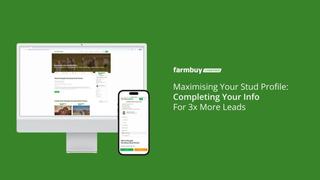
A complete profile builds trust and gives potential buyers the confidence to reach out.
Data across Farmbuy shows that complete stud profiles generate up to 3x more buyer inquiries than incomplete ones. Once your baseline profile is created, follow this guide to log in, refine your details, and turn your profile into a high-performing digital showroom.
1. Logging in to your Agency Portal
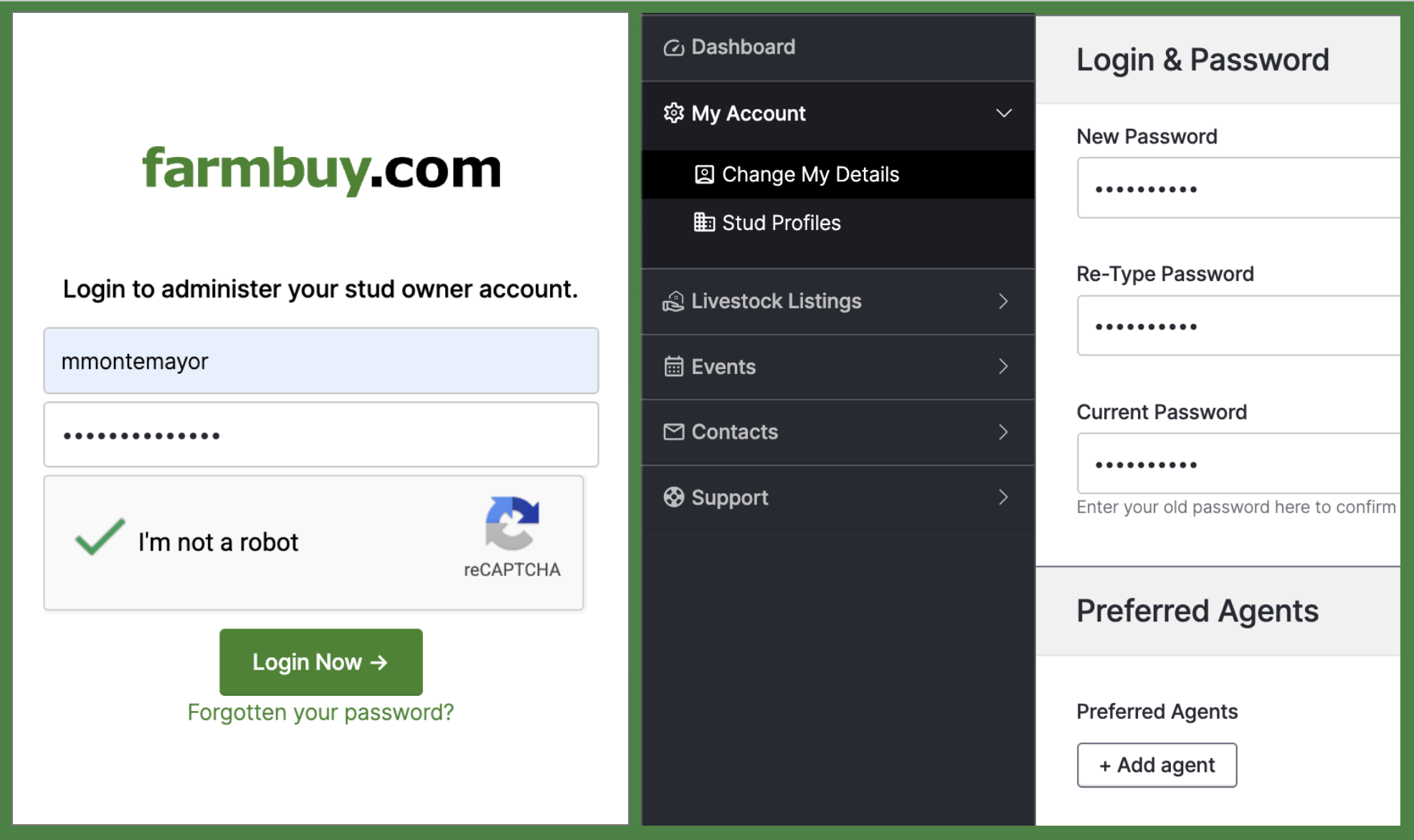
Go to farmbuy.com/ags/login and log in using your account credentials. You should have received your Profile Confirmation email in your inbox containing your username and default password.
2. Update your password
Navigate to My Account > Change My Details. Enter your New Password and Current Password to update your login security.
3. Add Preferred Agents
If you work with specific stock agents, add them under My Account > Change My Details > Preferred Agents by clicking + Add agent. If you have none, you can leave this section as is.
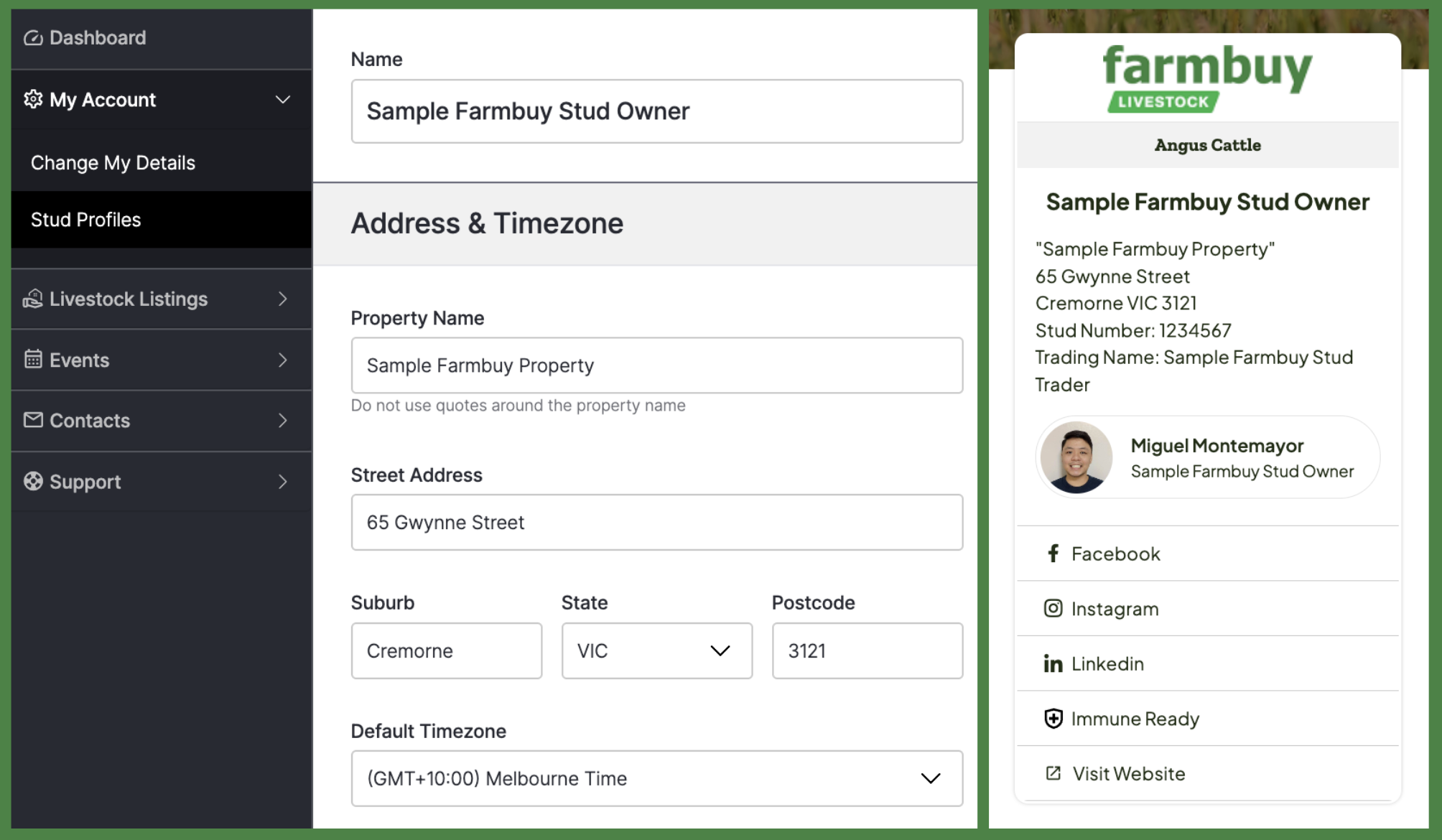
4. Edit your Stud Profile details
Go to Stud Profiles in the left sidebar menu. Locate your profile row, click the 3 action dots on the right, and select Edit. Update your Name, Address, Timezone, Contact Details, and Contact Person Image. These information gives prospective buyers information on who you are and how to contact you.
- What buyers look for: Ensure your primary contact name, phone number, and email address are current. Uploading a clear, professional photo of the stud principal or manager personalises your listing and makes commercial producers feel more comfortable reaching out directly.
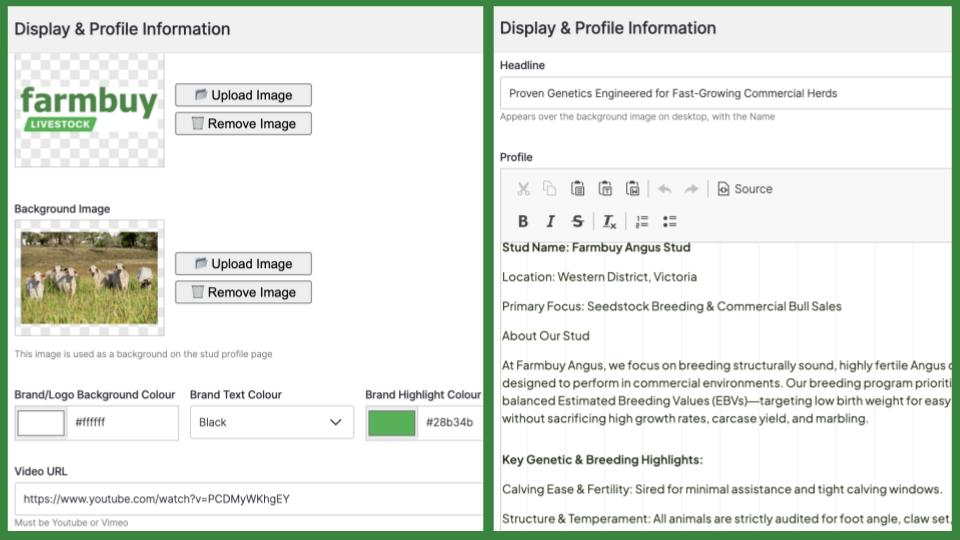
5. Add display branding and video
Scroll to the Display & Profile Information section. Upload your logo and background banner image. Paste a YouTube link into the Video URL field, and add your headline and profile description. Videos and images help prospective buyers envision what you are selling and increase interest to your stud profile.
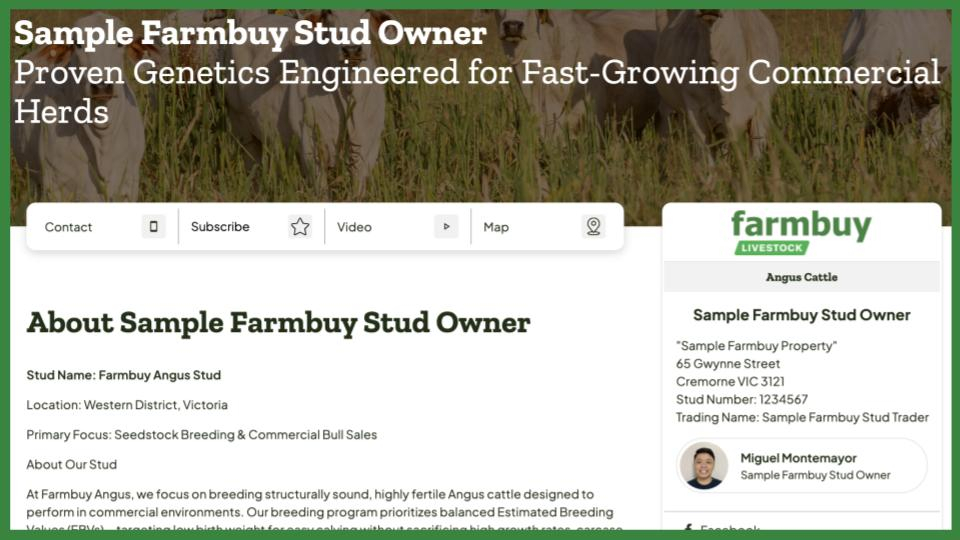
- Writing a Strong Headline: Use a short, benefit-driven statement that highlights your breeding value (e.g., "Proven Angus Genetics Engineered for Fast-Growing Commercial Herds").
- Crafting Your Profile Description: Include your stud history, location, primary breed focus, and key structural or health standards.
- Power of Video: Profiles with a video background or video tour receive significantly higher time-on-page. A simple 60-second paddock walkthrough or sire highlight reel gives buyers immediate visual proof of your cattle's quality.
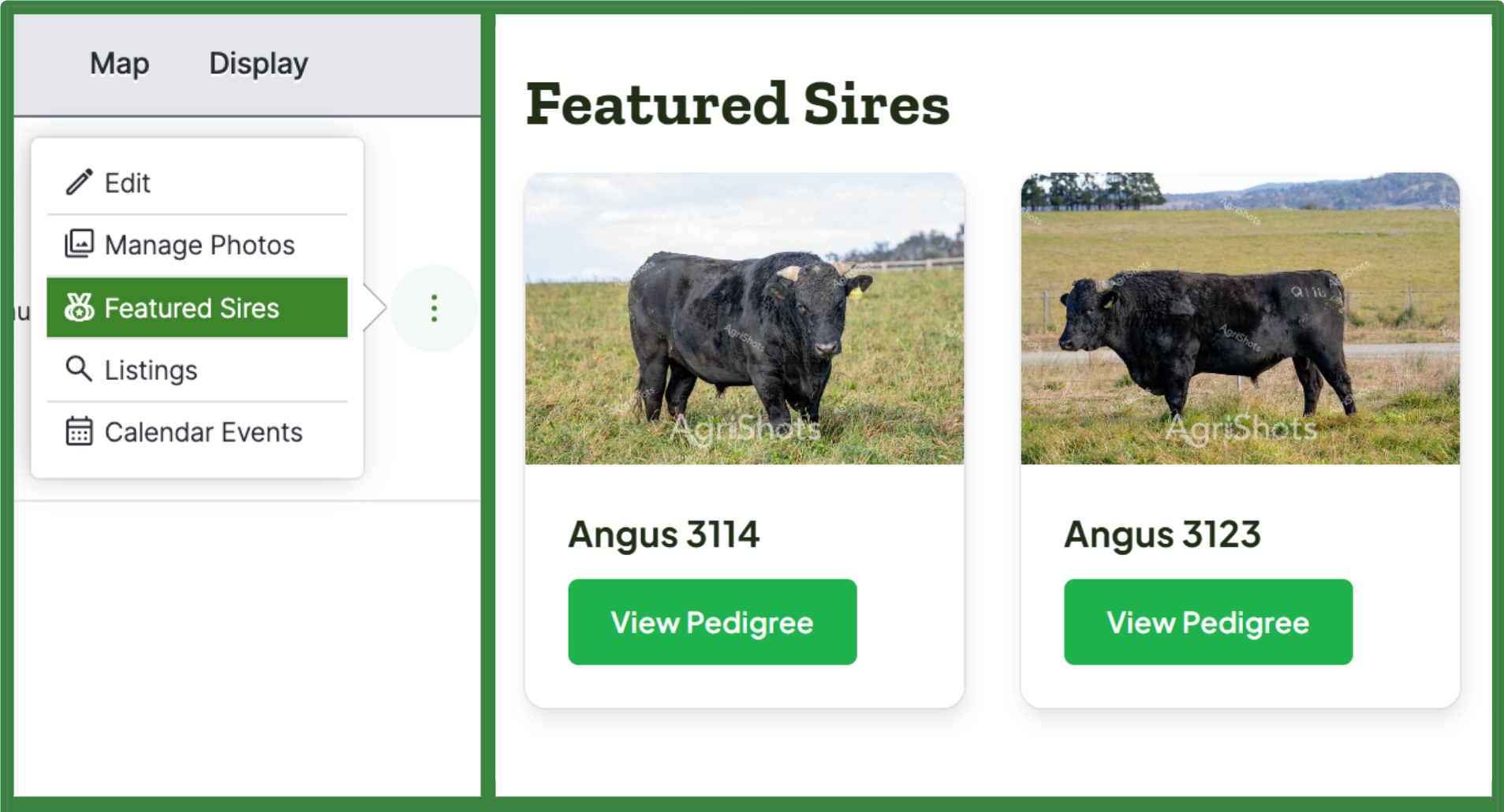
6. Manage photos and Featured Sires
Return to the 3 action dots on the main Stud Profiles tab. Select Manage Photos to add images, or click Featured Sires to showcase your top breeding sires. Adding as much photos as you can to your profile and featuring at least 3 of your sires is ideal for a high-performing stud profile.
- Featured Sires: Aim to showcase at least 3 featured sires with their registration names, IDs, and pedigree details. Buyers frequently research sire lines and EBV benchmarks before making buying decisions
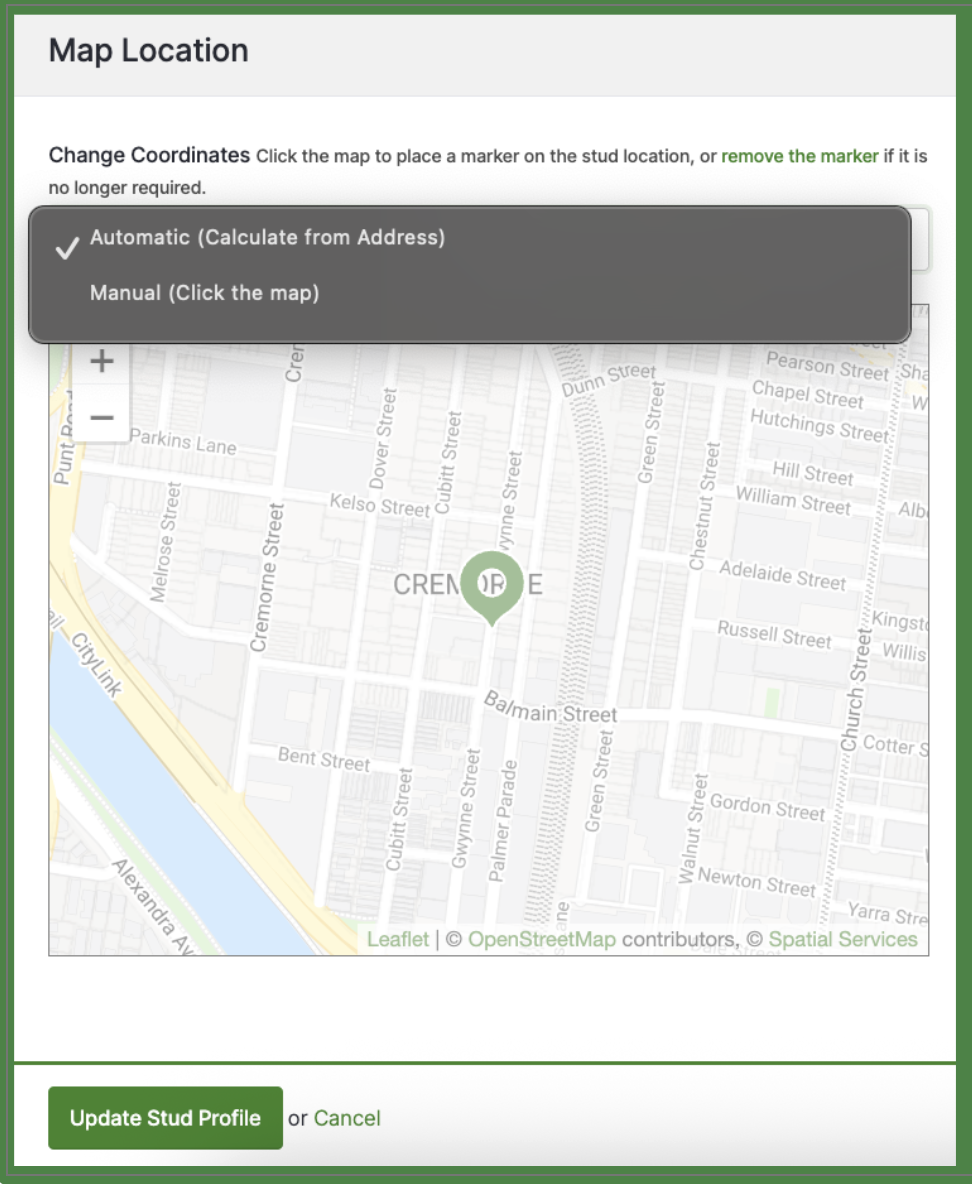
7. Update your map location pin and save your changes
Your Map Location pin will be auto-generated by our system, however, you can manually change the pin as needed. Lastly, click Update Stud Profile at the bottom of the page to publish your updates live.
- Why Location Accuracy Matters: Commercial producers and agents often filter stud searches by region or distance to estimate transport logistics. An accurate map location ensures you appear in relevant local geographic searches.
Well done! Completing your stud profile is the first step as you advertise in Farmbuy Livestock!
Check out the next guide - How to Drive More Leads: How to List Auctions and Events That Sell.
