











Drive More Leads: How to List Auctions & Events That Sell
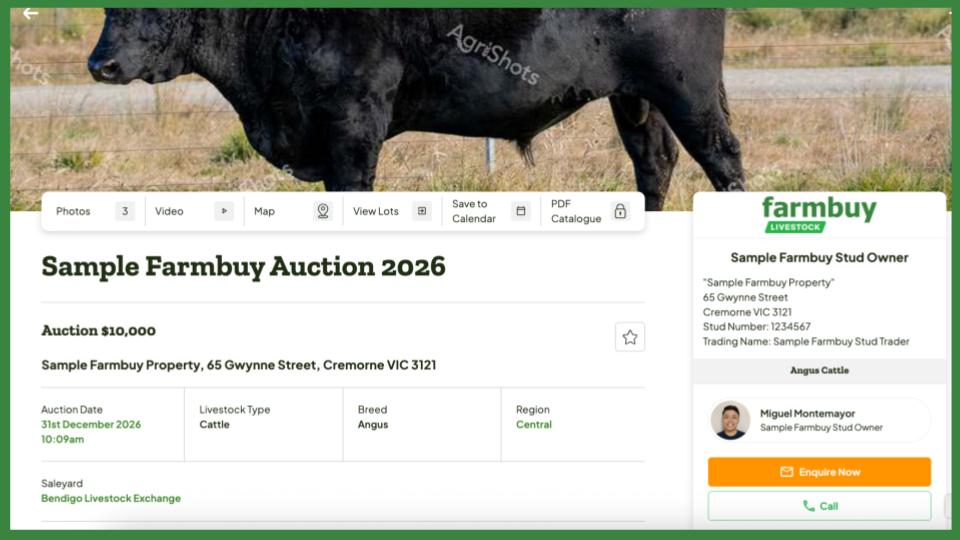
Put your livestock in front of serious buyers with listings that turn clicks into calendar reminders and sale-day inquiries.
List all the upcoming events that you have, whether they are sale auctions, open days or others and get the word out! Provide all the information for more saved calendars and attendees to your events!
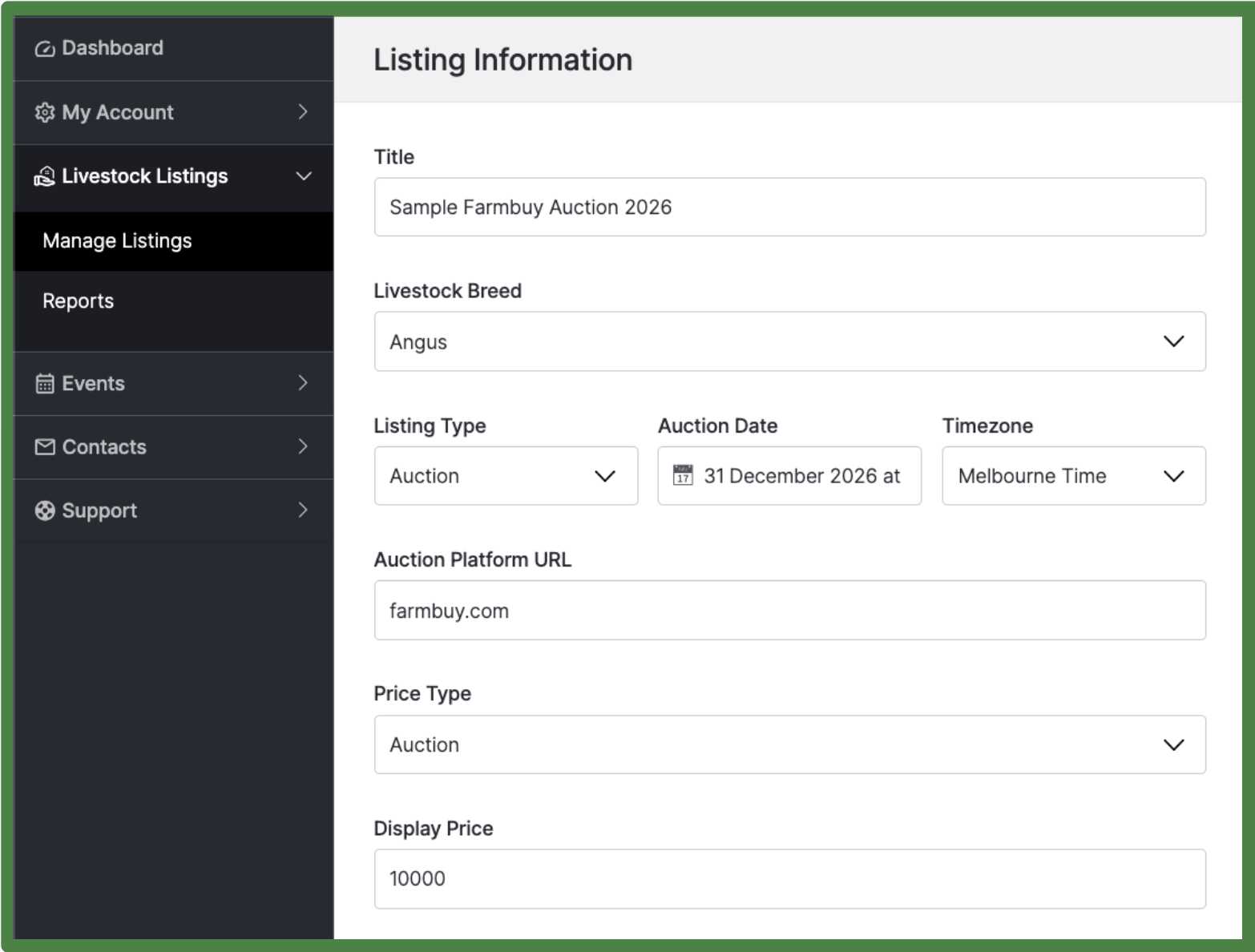
1. Edit your listing information
Go to Livestock Listings > Manage. Select an existing listing or click + Add New. Click the 3 action dots on the right side to edit your Title, Breed, Listing Type, Auction Date, Timezone, and Price details.
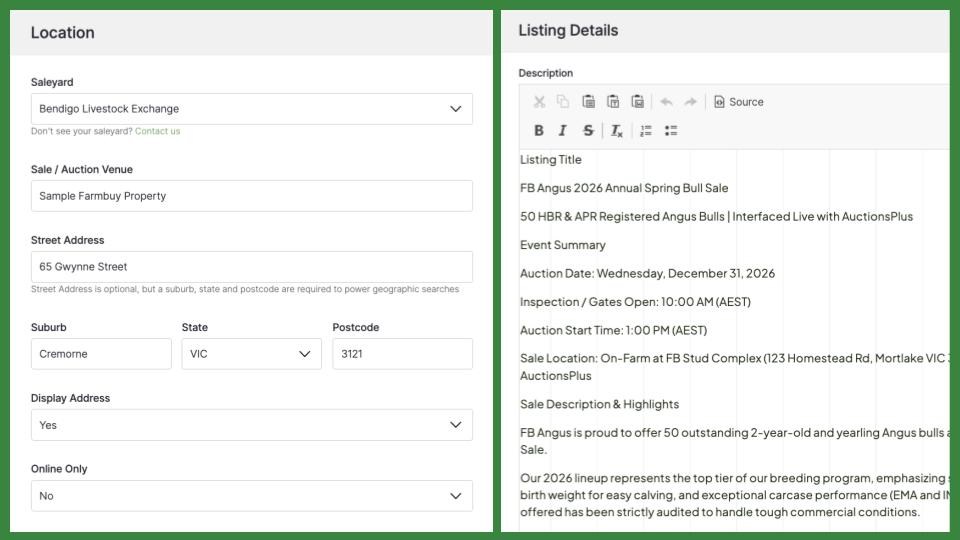
2. Add location and venue details
Scroll to the Location section. Select your Saleyard, enter your Sale / Auction Venue, full Street Address, and set whether to display your address or mark the event as Online Only.
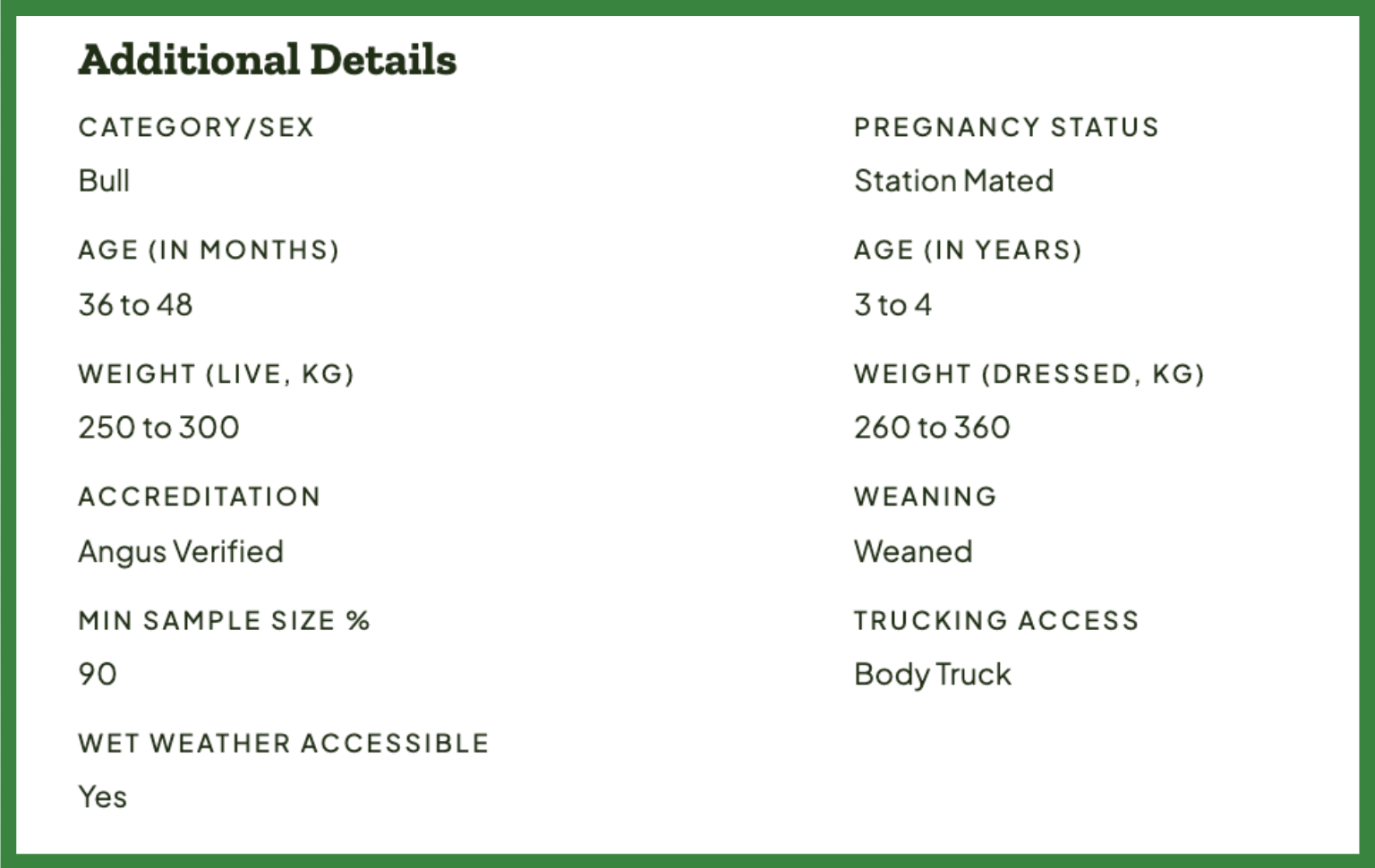
3. Provide detailed livestock information
Complete additional livestock details including Category/Sex, Pregnancy Status, Age, Weight, Accreditation, and Trucking Access. Use the 3 action dots on the main table to upload your photos.
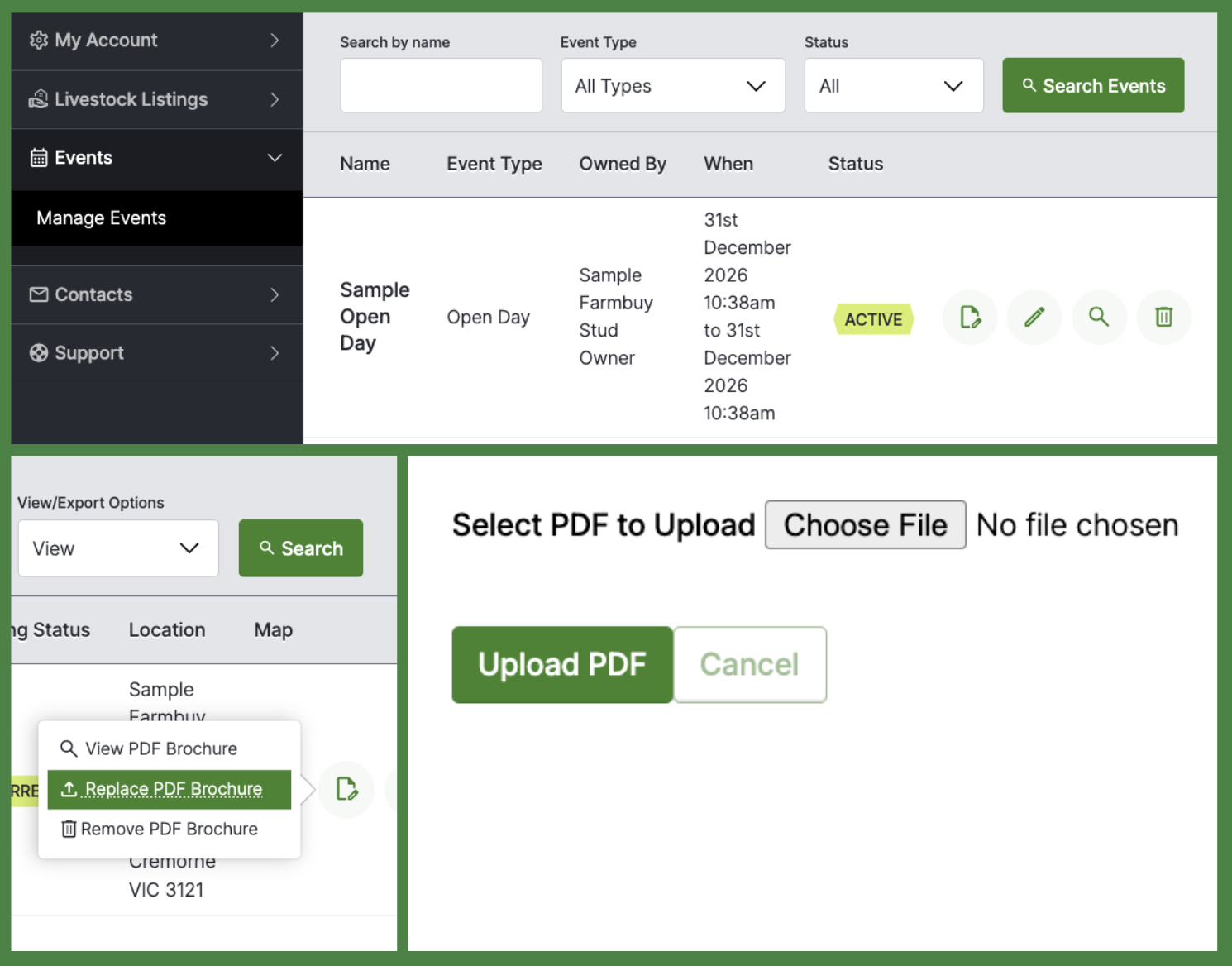
4. Attach a PDF brochure
On the Events or Livestock Listings table, click the document icon on the right side of your listing row to upload or replace your PDF sale catalogue or brochure.
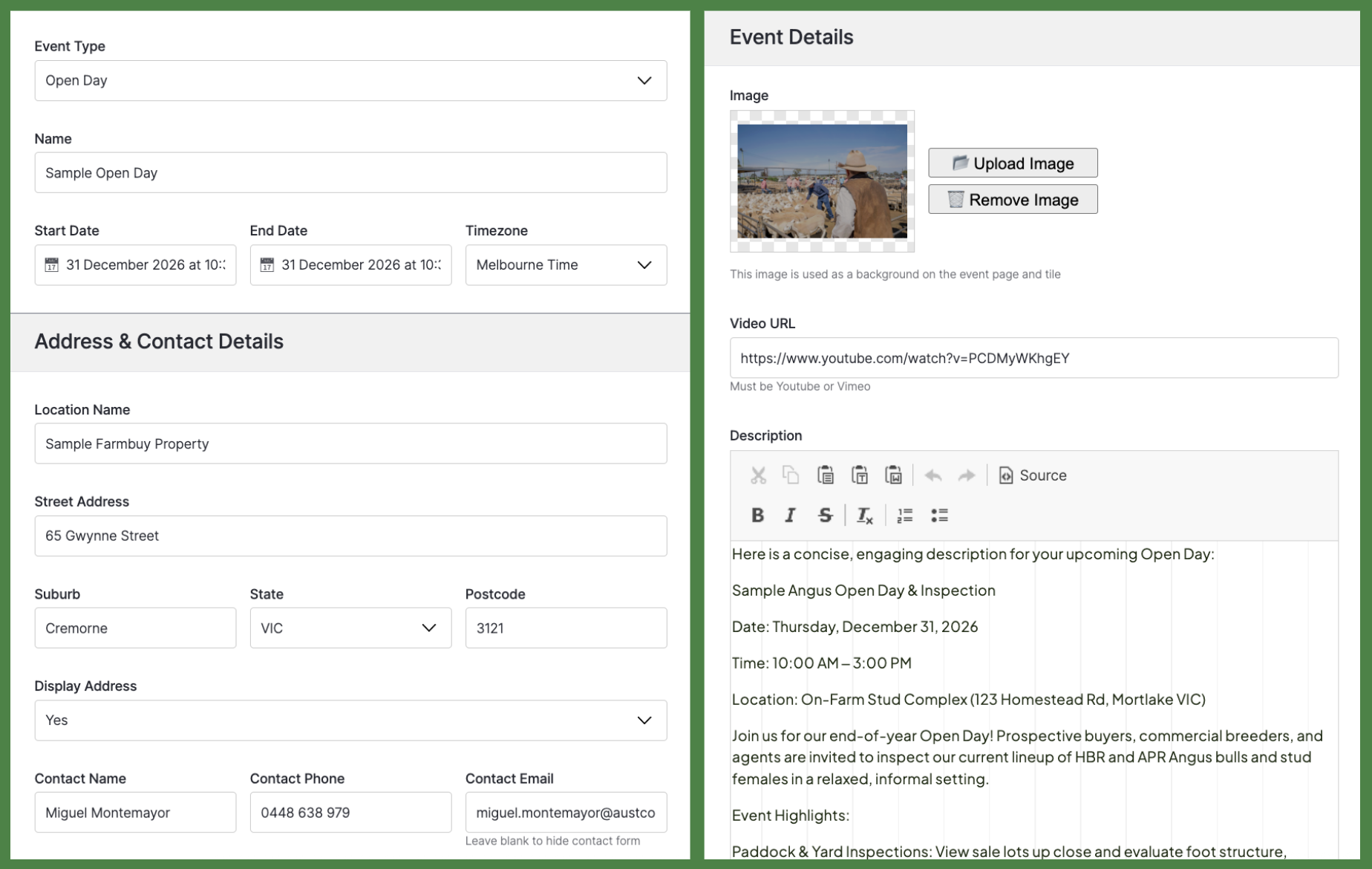
5. Manage your Events
Go to Events in the left sidebar menu to manage an Open Day, Forum, or Field Day. Click + Add New Event or select the pencil icon next to an existing event to edit the name, date, address, and description.
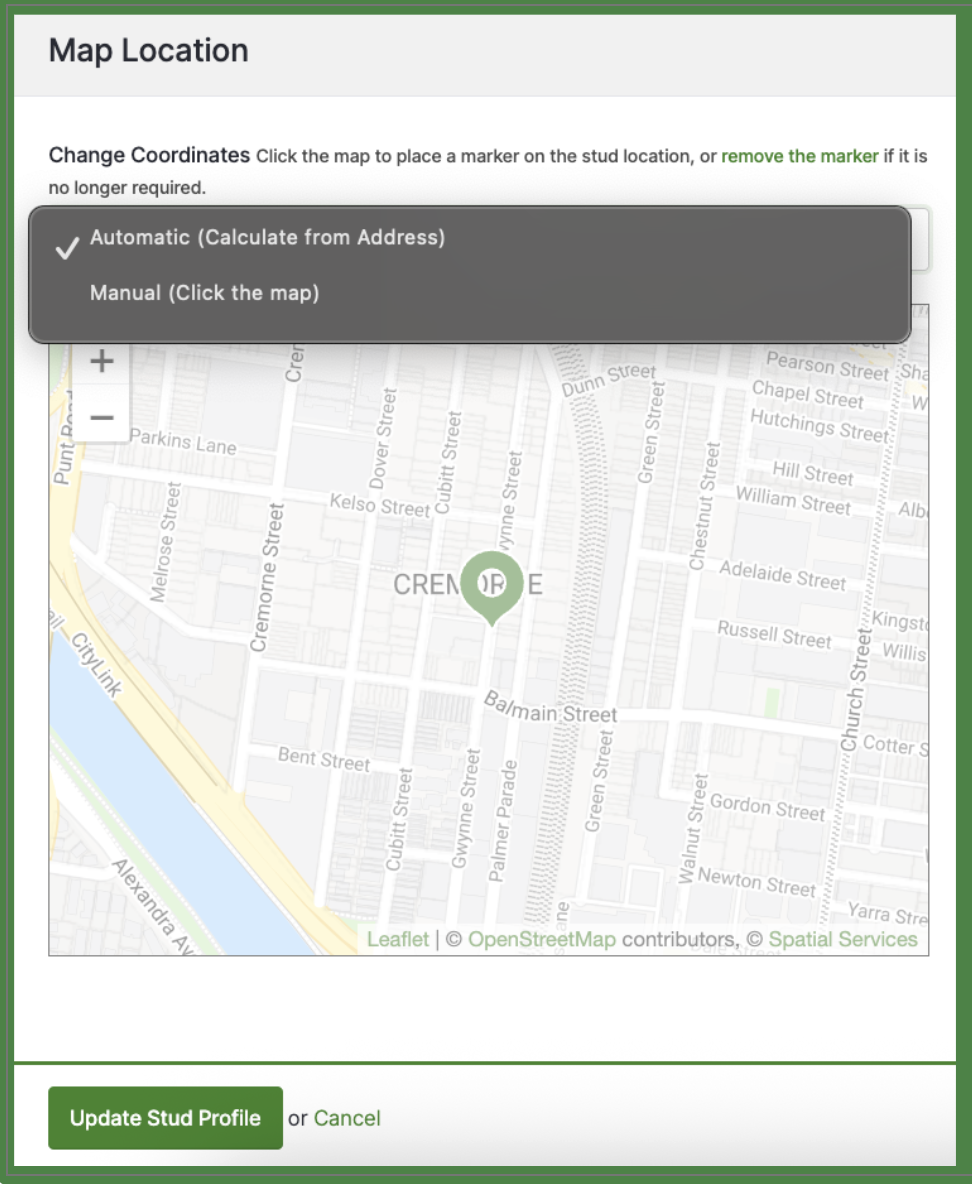
6. Update your map location pin and save your changes
Your Map Location pin will be auto-generated by our system, however, you can manually change the pin as needed. Lastly, click Update at the bottom of the page to save your listing or event changes.
Well done! Your auctions and events are ready for more serious buyer interest.
Check out the next guide - Measure Your Impact: Understanding Reports & Converting Leads
Need Help?
If you have any questions, submit a support ticket in your portal or email us at livestock@farmbuy.com.
