











Measure Your Impact: Understanding Reports & Converting Leads
Track how your listings and events performance on Farmbuy. Learn how to read your engagement metrics and respond quickly to buyer inquiries.
1. Access your reports
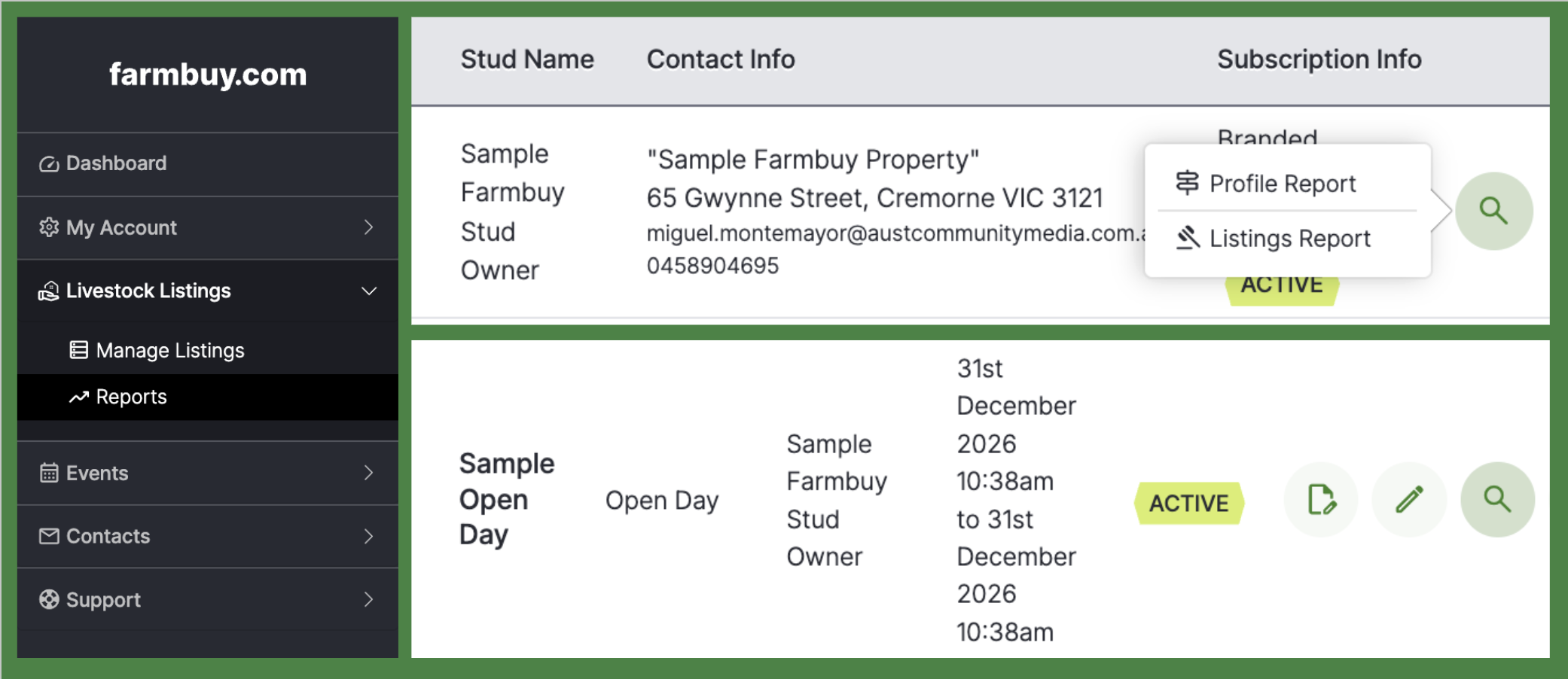
There are 3 reports that are available for you to check under your account, Stud Profile, Livestock Listings and Events Report. See below how each are performing and how to access them.
- Stud Profile Report - Go to Reports then click on Stud Reports on the upper portion. Click the magnifying glass icon on right of the profile row to open your profile report.
- Livestock Listings Report - Go to Livestock Listings > Reports then click the magnifying glass icon on any listings row to open the full performance report.
- Events Report - Go to Events then click the magnifying glass icon on any row to open the full performance report.
2. Understand your metrics
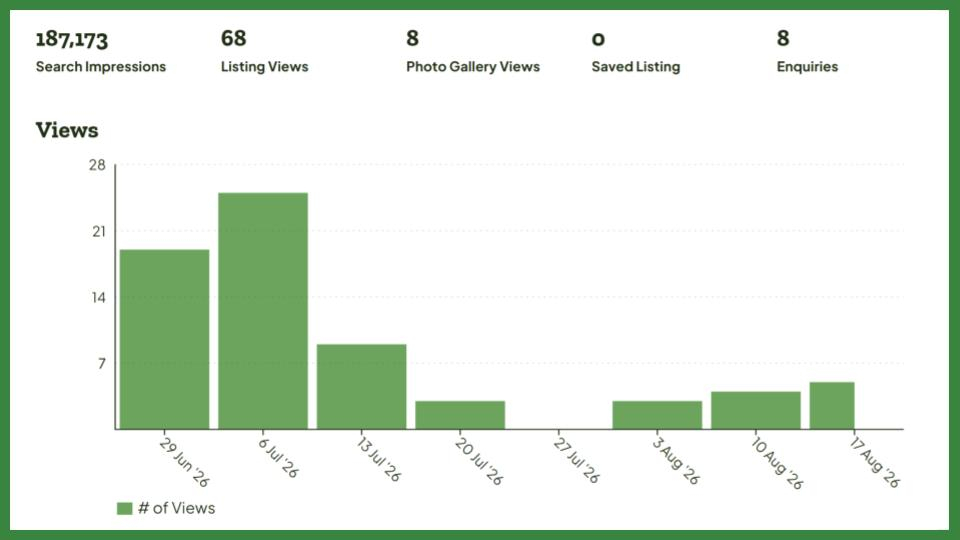
Filter your reporting date range or click Download PDF Report at the top of the page. Review your top metrics:
Top Overview Metrics
| Metric | Definition |
|---|---|
| Search Impressions | How many times your event appeared on screen when buyers were searching or browsing listings on Farmbuy. Think of this as how many people saw your "sign on the road. |
| Listing/Event View | Total times buyers clicked on and viewed your main property or stud listing page. |
| Photo Gallery Views | How many times buyers opened the full-screen photo gallery to inspect high-resolution photos of your property, livestock, or paddock views. |
| Saved Listing/Event | How many buyers bookmarked or saved your listing/event to their personal account so they can revisit it later. |
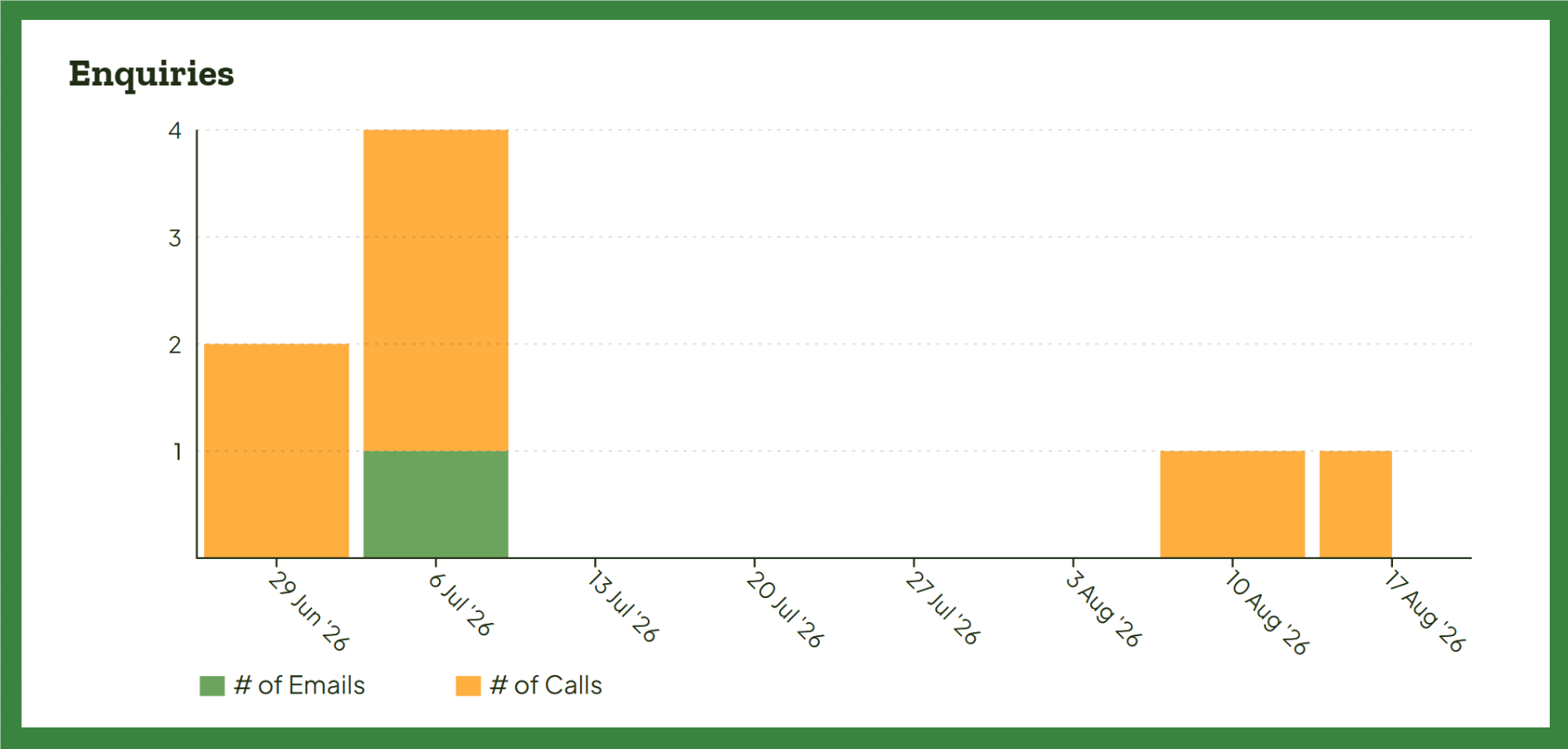
| Enquiries | The total number of direct leads (via email or phone clicks) generated through your listing/event. |
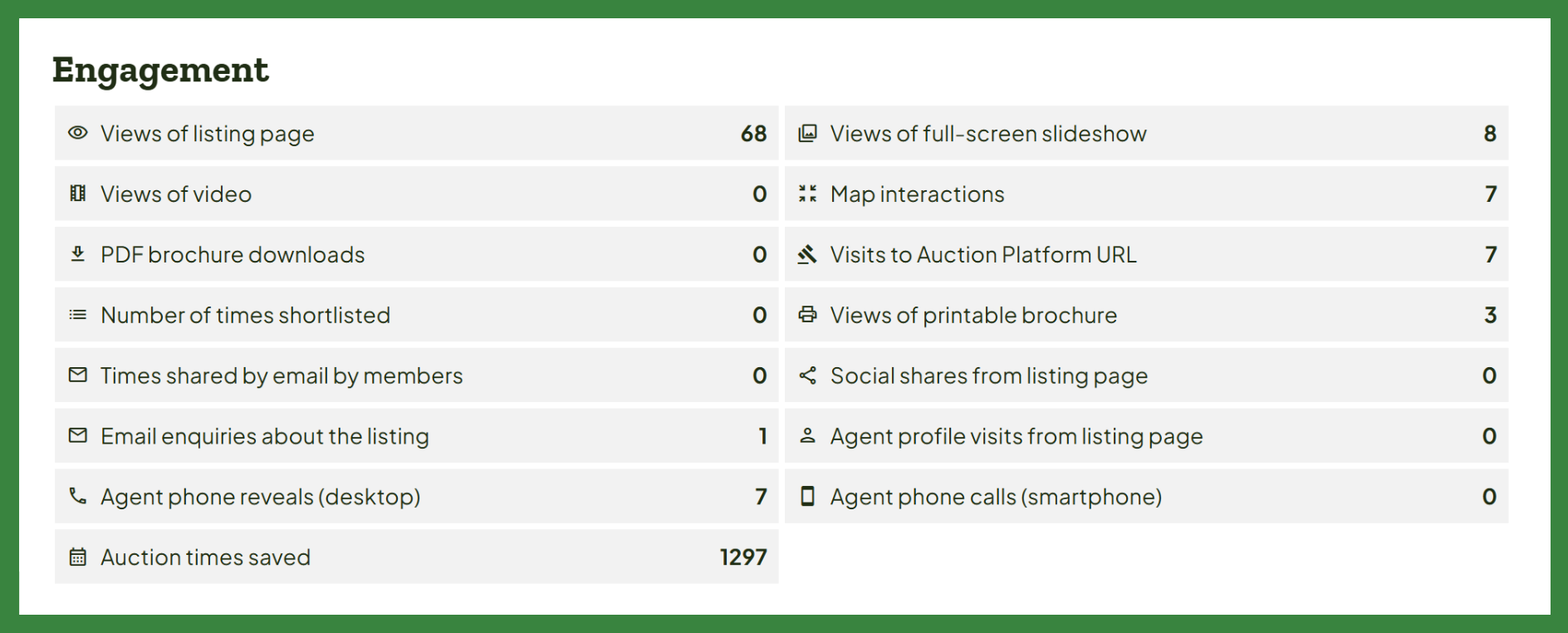
Engagement Metrics
| Metric | Definition |
|---|---|
| Views of listing/event page | The total number of times your listing/event page was loaded and viewed by buyers. |
| Views of video | How many times buyers clicked to watch the embedded video on your listing/event. |
| Map interactions | How many buyers clicked or zoomed in on your interactive location/boundary map to check your property’s location or directions. |
| PDF brochure downloads | The number of times buyers downloaded your attached PDF brochure. |
| Visits to Auction Platform URL | The number of times buyers clicked the external link driving traffic directly to your external online bidding/auction platform. |
| Number of times shortlisted | How many users added your listing/event to their personal watchlist or comparison shortlist. |
| Views of printable brochure | How many users clicked to view or generate the printer-friendly version of your property or stud details. |
| Times shared by email by members | The number of times registered Farmbuy users used the "Email to a Friend" feature directly from your listing page. |
| Social shares from listing/event page | The number of times buyers used the social share buttons to post your event link onto Facebook, LinkedIn, or other channels. |
| Email enquiries from the listing/event page | Direct messages sent to your inbox using the "Contact" email form on the page. |
| Agent profile visits from listing page | How many buyers clicked on the listing agent’s name or agency logo to view their full agency profile and other active listings. |
| Phone enquiries from the event page | How many times buyers tapped or clicked the phone button to view or call your phone number. |
| Agent phone reveals (desktop) | The number of times buyers browsing on a computer clicked the "Show Phone Number" button to view your phone number. |
| Agent phone calls (smartphone) | The number of times mobile buyers tapped the phone button on their smartphone to call you directly. |
| Auction times saved | How many buyers downloaded or added the specific auction date and time to their personal calendar. |
| Event calendar downloads | How many prospective attendees downloaded the calendar file to save your auction or open day directly into their personal calendar. |
3. Check your inbox and respond to leads
Navigate to the Contacts section in your left sidebar menu to view incoming messages. Click any message to view the buyer's full name, email, phone number, and message text so you can contact them directly.
Want more? Upgrade your listing with our Farmbuy Livestock packages
Submit a support ticket in your portal or email us at livestock@farmbuy.com.
Previous Article
Drive More Leads: How to List Auctions & Events That Sell
Next Article
Pendarra and Stockton Merino studs share top honours at multi-vendor sale
